ExplicitCoder
Budgeting & saving
UK Household Budget & Bills Planner
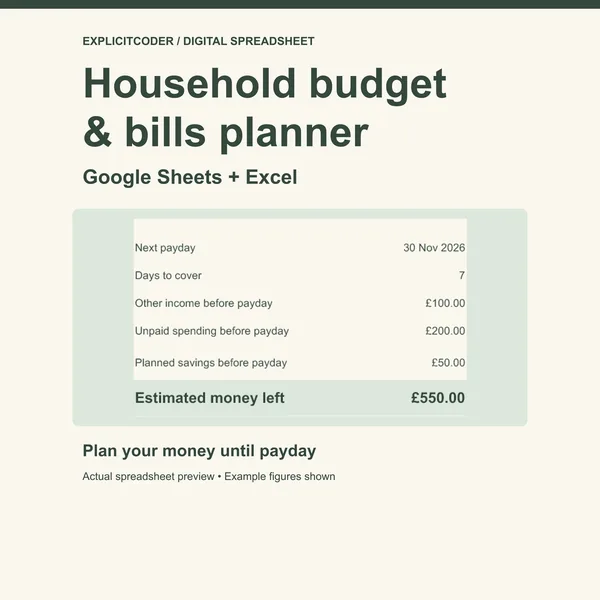
Plan bills around payday with a household budget spreadsheet for Google Sheets and Excel. Track spending in GBP and explore the preview on Etsy.
Google Sheets + ExcelExplore template
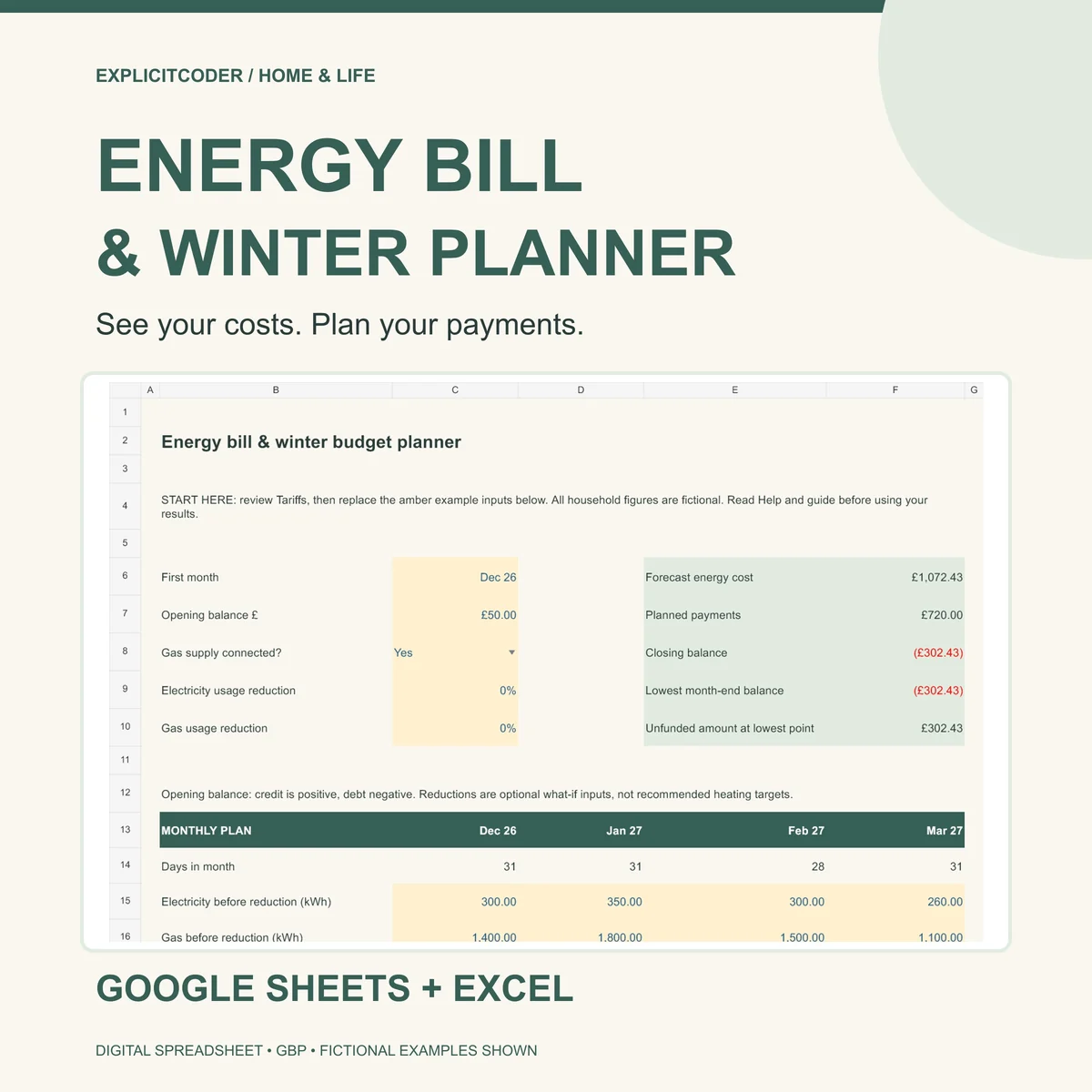
Actual template preview · Illustrative example data
Estimate four months of gas and electricity costs, compare planned payments and spot possible shortfalls with an energy bill spreadsheet for Google Sheets and Excel.
Bring your tariff, monthly energy use and supplier account balance into one place. See how unit rates and standing charges contribute to your costs, then compare the forecast with the money you plan to pay. The planner includes a three-page setup guide, fictional examples and links to free support.
See the current price and full listing on Etsy.
Includes an Excel workbook and PDF setup guide with a Google Sheets copy link. Digital download only; your purchase and downloads are handled by Etsy.
Households in England, Scotland and Wales using single-rate electricity, with or without mains gas, who want a clearer view of their winter energy account.
An Excel workbook and PDF setup guide with a Google Sheets copy link. Choose your format and replace the example entries with your own.
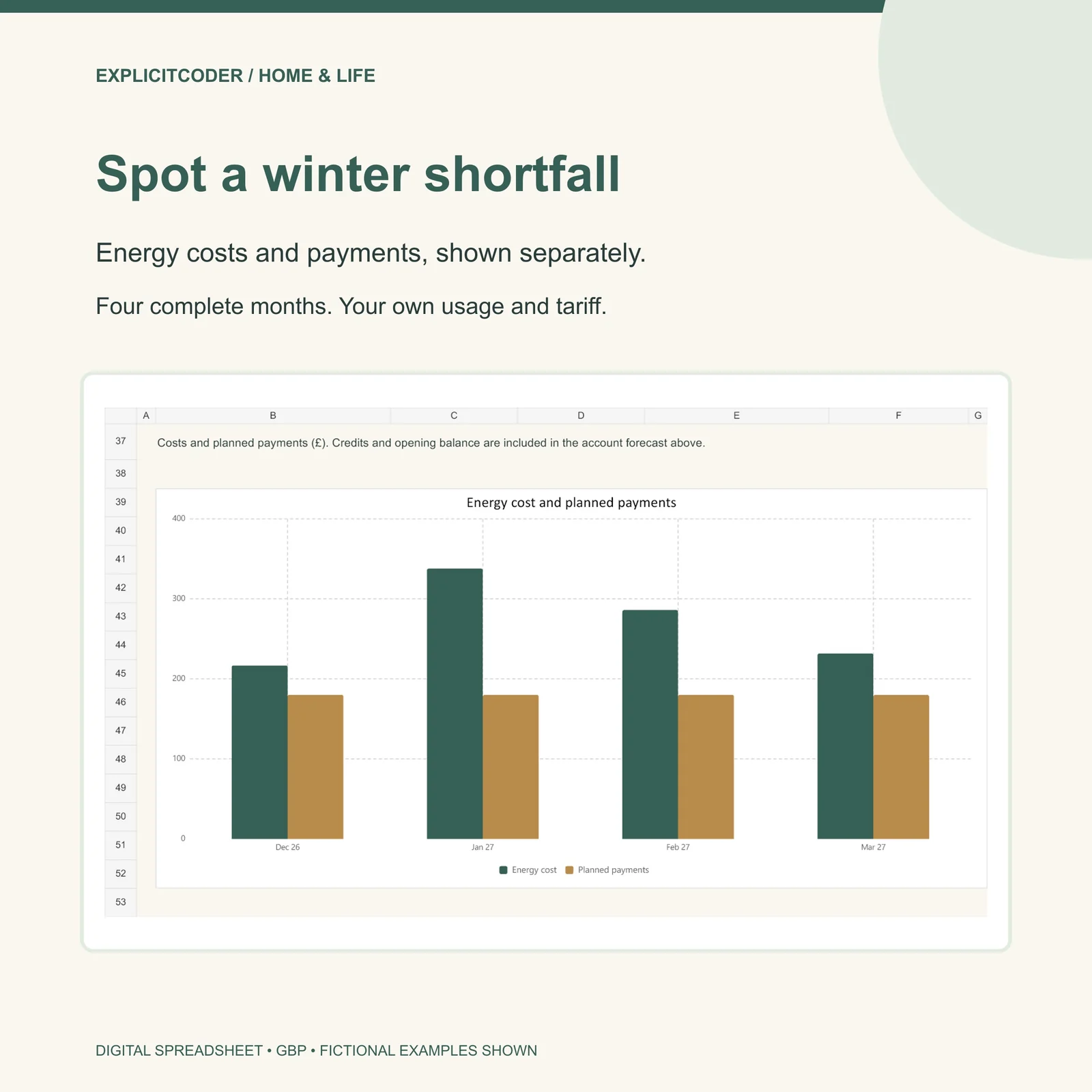
An illustrative workflow using this template. Replace sample entries with your own details.
In the fictional example, the household starts December with £50 of supplier account credit and plans to pay £180 each month for four months.
Enter monthly electricity and gas kWh alongside the applicable tariff dates, unit rates and standing charges. The example totals £1,072.43 of energy costs.
The £50 opening credit plus £720 of planned payments leaves a projected £302.43 account debt after those costs. This is an estimate to discuss with the supplier, not an instruction to change a Direct Debit.
You can see a possible shortfall before the end of the plan and prepare your figures for a supplier conversation. Replace every example with your own details; household costs vary with usage and tariff.
Manual entry in GBP. Use kWh from bills or supplier estimates, not raw gas meter readings. Each complete month must fit within exactly one tariff period; mid-month changes are flagged, not apportioned. No live rate updates, Northern Ireland tariffs, Economy 7, heat networks, oil, LPG, solar export or tariff discounts. Daily prepayment-meter run-out, debt deductions and emergency credit are not modelled. Forecast balances are estimates, not a supplier bill or a recommended Direct Debit.
Desktop or laptop recommended. Mobile and Apple Numbers have not been verified. Prepared row capacities do not expand automatically.
No. Optional usage changes are estimates, not recommended heating targets or guaranteed savings. Do not use a spending target to decide whether to stop essential heating or medical equipment. If costs look unaffordable, contact your supplier about an affordable payment plan and support. Free help is available without buying this spreadsheet.
After purchasing on Etsy, download the PDF setup guide. It contains the link and instructions for creating your own editable copy in Google Drive. A Google account is required.
Only if you choose the Excel workbook. Compatible Microsoft Excel software is required for that option and is not included. Google Sheets can be used without desktop Excel. The two versions do not sync.
Yes. Contact ExplicitCoder through Etsy with the product name, the format you are using and the step you need help with. Start with the included setup guide.
If you are worried about paying, contact your energy supplier early about an affordable payment plan and hardship support. Have your latest bill, account balance and what you can afford ready.
The included reference rates were checked on 25 November 2026 and cover October–December 2026 and January–March 2027. Enter your own supplier rates, including applicable VAT. Rates do not update automatically. Ofgem and Citizens Advice have not endorsed or reviewed this product.
Plan bills around payday with a household budget spreadsheet for Google Sheets and Excel. Track spending in GBP and explore the preview on Etsy.
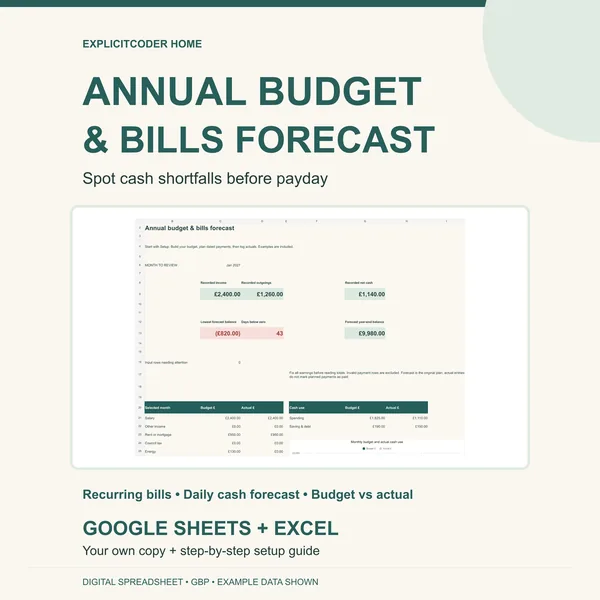
Plan recurring bills and a year of cash flow with an annual budget template for Google Sheets and Excel. Review daily balances and monthly spending.
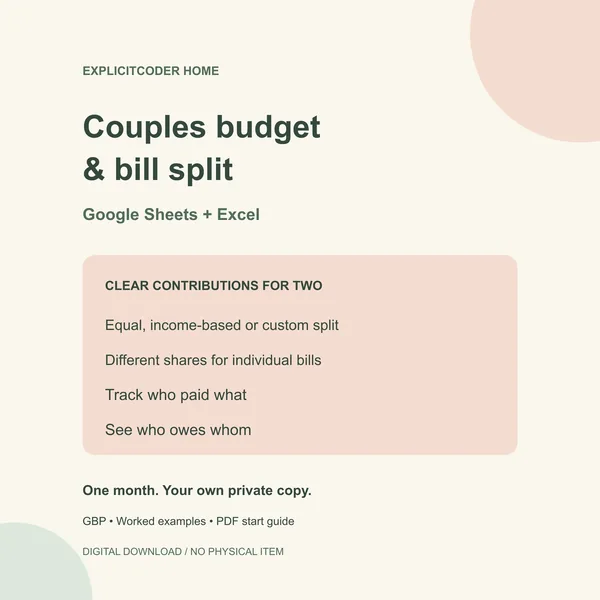
Split shared bills equally or by income with a couples budget spreadsheet for Google Sheets and Excel. Track payments and review who owes whom in GBP.