ExplicitCoder
Budgeting & saving
UK Household Budget & Bills Planner
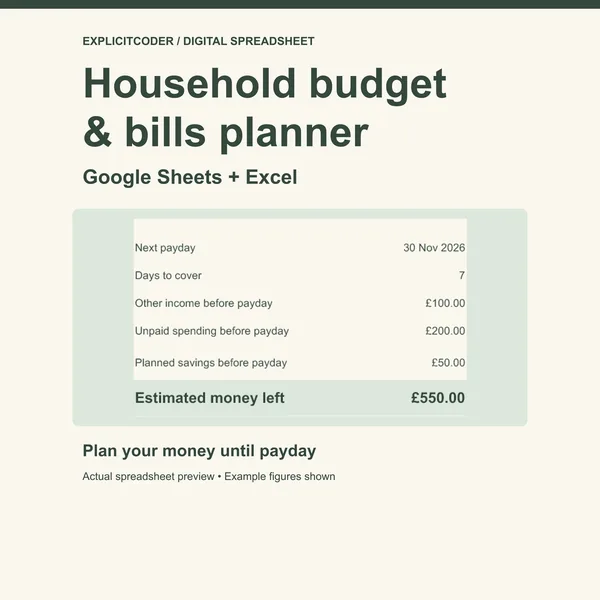
Make payday, household bills and everyday spending easier to see in one Google Sheets or Excel budget planner.
Google Sheets + ExcelExplore template
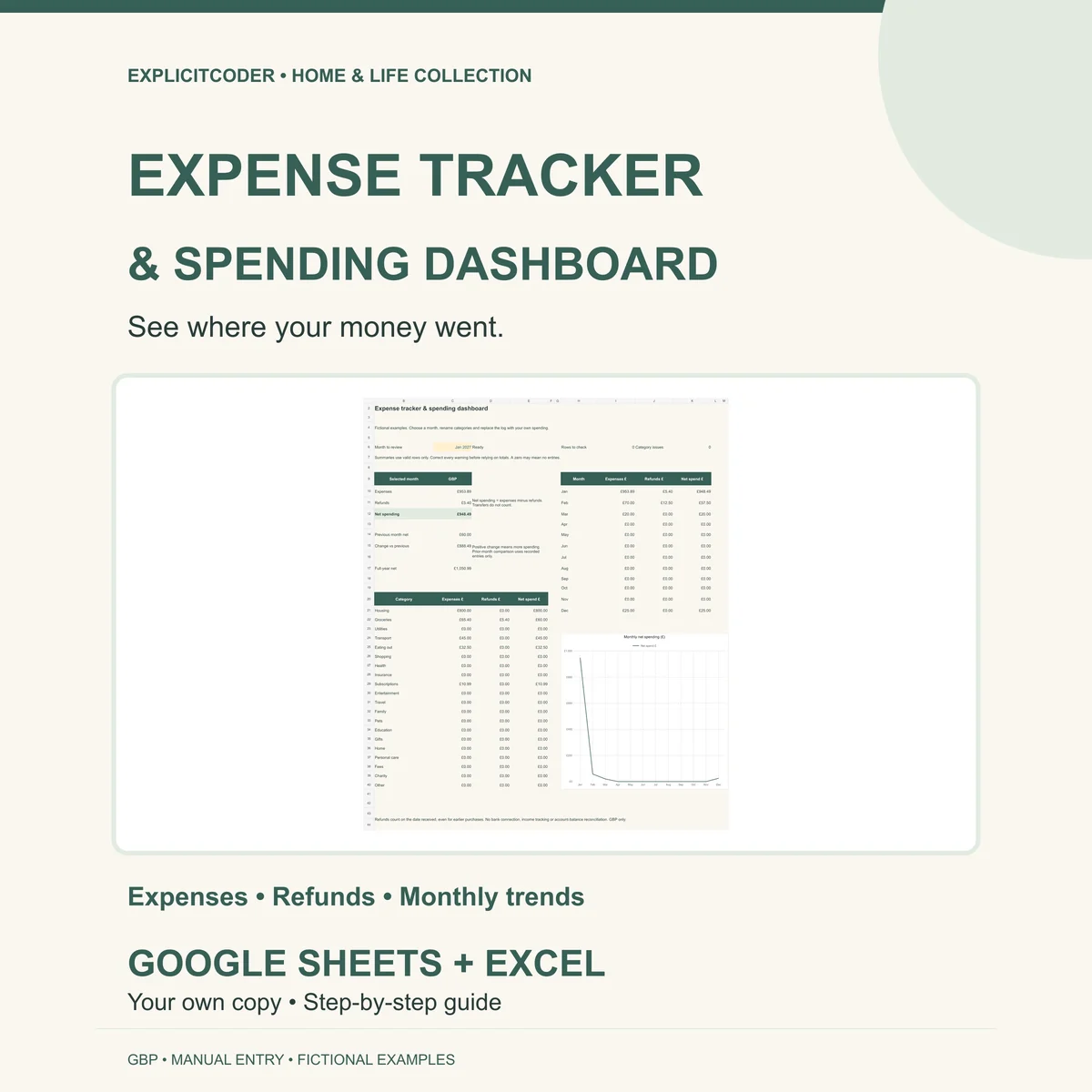
Actual template preview · Illustrative example data
Record expenses and refunds, review monthly spending and explore a year of totals in this Google Sheets and Excel expense tracker.
Start with what you have spent, then look for patterns. This tracker brings purchases and refunds into a monthly dashboard, with stable category codes so you can rename categories without losing the meaning of past entries.
See the current price and full listing on Etsy.
Your purchase and downloads are handled there.
Anyone who wants to understand recorded spending without a full cash forecast.
An Excel workbook and PDF setup guide with a Google Sheets copy link. Choose your format and replace the example entries with your own.
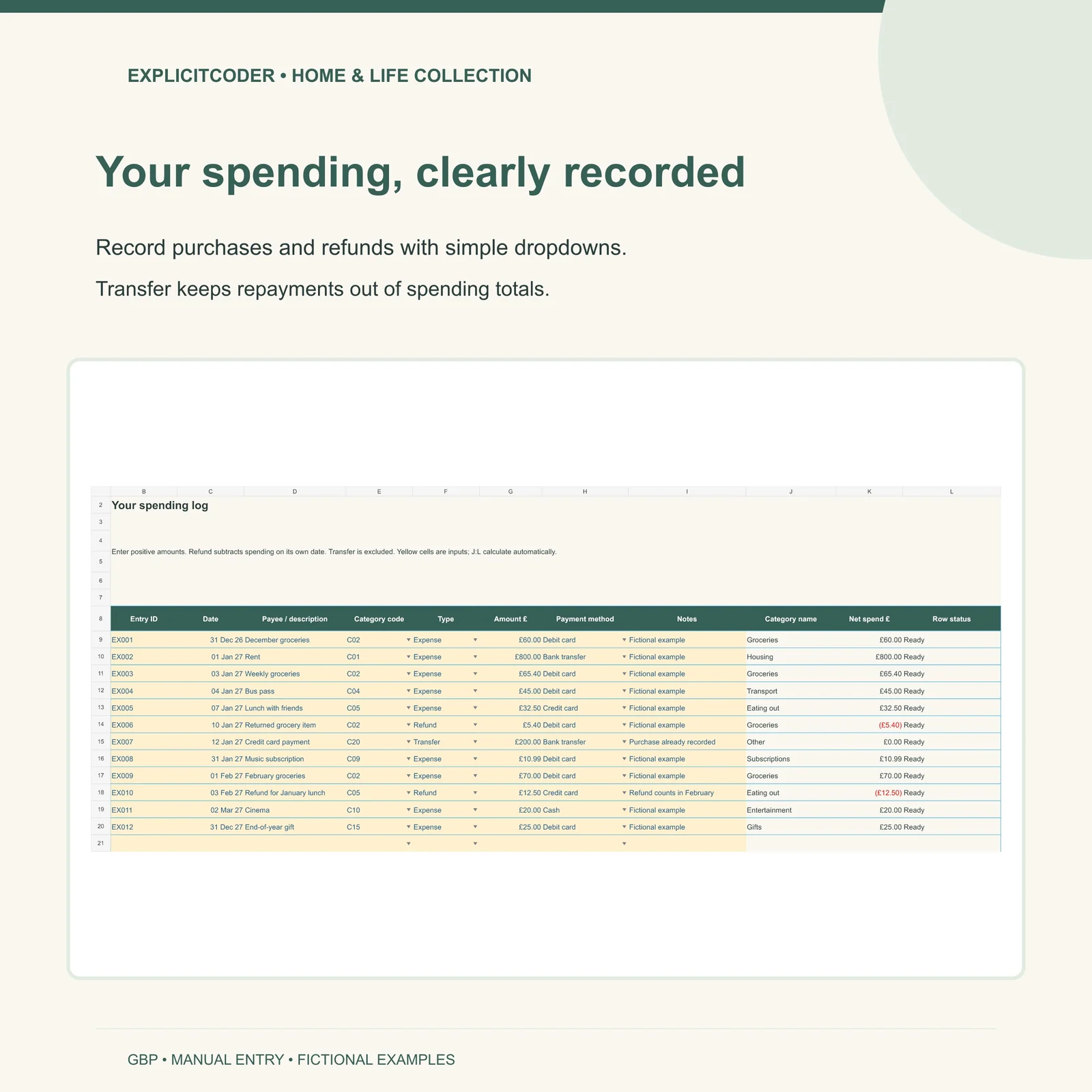
Manual GBP entry. Transfers are excluded from spending; refunds reduce the month in which they are received. No income tracking, account balances, budget limits or bank imports.
Desktop or laptop recommended. Mobile and Apple Numbers have not been verified. Prepared row capacities do not expand automatically.
Use the separate Transfer type for repayments and transfers. Those records are excluded from spending totals; record the underlying purchases as expenses.
After purchasing on Etsy, download the PDF setup guide. It contains the link and instructions for creating your own editable copy in Google Drive. A Google account is required.
Only if you choose the Excel workbook. Compatible Microsoft Excel software is required for that option and is not included. Google Sheets can be used without desktop Excel. The two versions do not sync.
Yes. Contact ExplicitCoder through Etsy with the product name, the format you are using and the step you need help with. Start with the included setup guide.
Make payday, household bills and everyday spending easier to see in one Google Sheets or Excel budget planner.
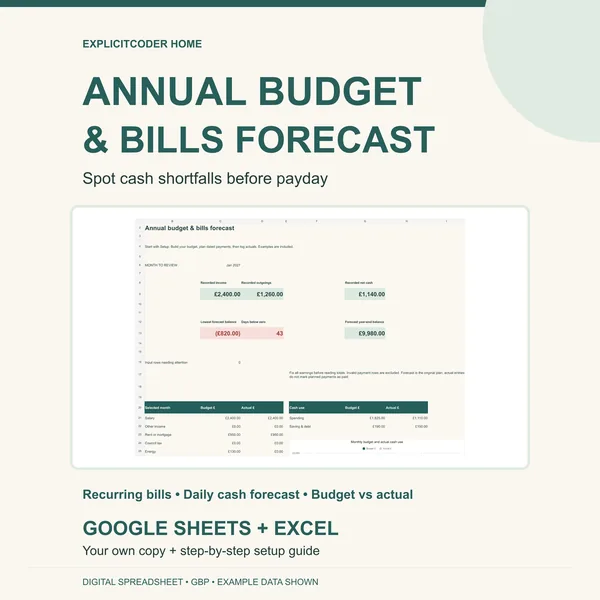
Plan a year of recurring bills and review your daily cash forecast with an annual budget spreadsheet for Google Sheets and Excel.
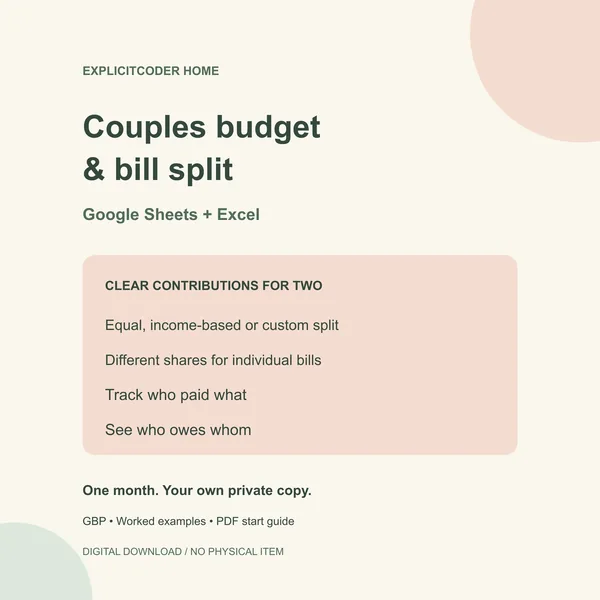
Plan shared bills, compare contributions and calculate who owes whom with a couples budget spreadsheet for Google Sheets and Excel.